Elementor
Header Builder
Create beautiful & responsive headers for your WordPress site — visually, without any code.
Create custom headers for your WordPress site
Sina Extension's Elementor Header Builder gives you complete visual control over your WordPress site's header. Create custom, sticky, transparent and responsive headers with your logo, navigation, search, cart and more — all inside Elementor's drag-and-drop editor.
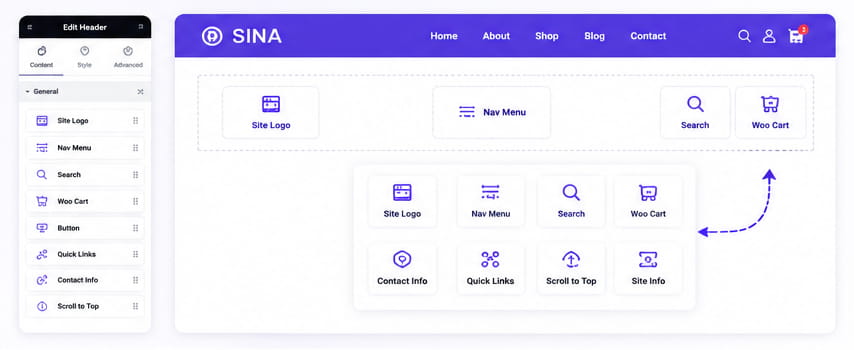
Header Builder Widgets
Every header template can be built with dedicated header-footer builder widgets — designed specifically for creating professional WordPress headers.
Site Logo
Display your brand logo with full style control.
Site Info
Display site title or tagline dynamically.
Direct Contact
Show phone number, email or address in the header.
Nav Menu
Add a fully responsive nav menu to your header.
Search
Add an offcanvas search field icon to your header.
Woo Cart
Show WooCommerce cart icon with item count.
Quick Links
Display a set of important links in your header.
Scroll to Top
Add a scroll to top button anywhere in your header.
Why Sina Header Builder
- Works with Elementor Free: No Elementor Pro needed. Build custom headers without upgrading.
- Sticky header support: Make any header sticky with the PRO version.
- Transparent header: Create beautiful transparent headers that blend with your hero section.
- 100% drag and drop: Visual editing, no coding required.
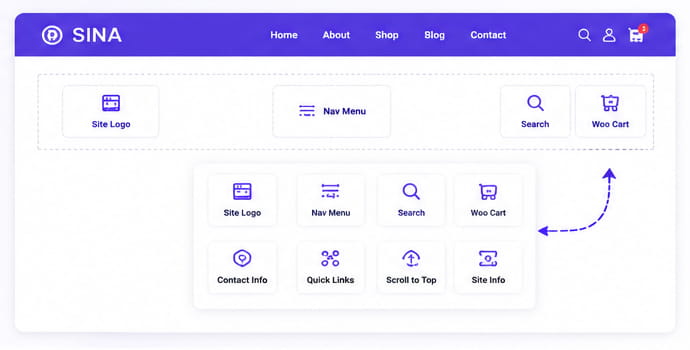
Ready-Made Header Templates
Start with a ready-made header template and customize it your way.
All of the headers can be made sticky (if you have the PRO version).
Style-1
Style-2
Style-3
Style-5
FAQ
Do I need Elementor Pro to use the Header Builder?
Can I create different headers for different pages?
Can I make my header sticky?
Can I create a transparent header?
Does it work with any WordPress theme?

Start building your WordPress header today
Take full visual control of your WordPress site's header with Sina Extension's Elementor Header Builder — no coding required.